
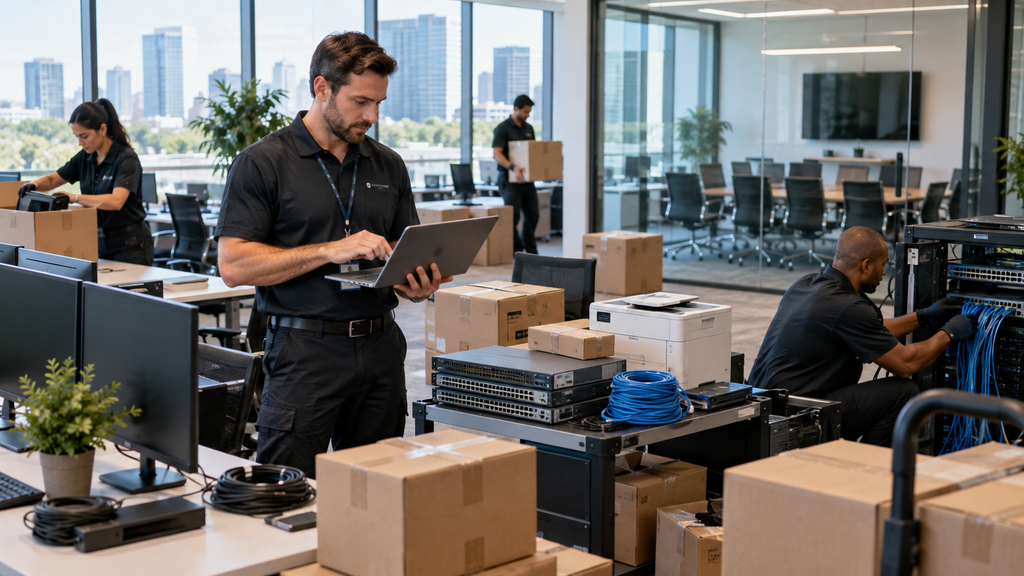
How to Plan an Office IT Move
Moving to a new office is a good opportunity to improve your technology setup, but it also creates risk if internet, Wi-Fi, computers, phones, and conference rooms are not ready on time.
A successful office IT move should be planned before moving day, not during it.
Start With Internet Service
Internet installation is often the biggest dependency.
Before the move, confirm:
- ISP availability
- Installation date
- Required bandwidth
- Static IP requirements
- Backup internet options
- Demarcation point or network handoff location
Do not assume the new office already has usable internet service.
Review the Network Layout
Decide where your network equipment will be installed.
Plan for:
- Firewall
- Switches
- Patch panels
- Access points
- UPS battery backup
- Network rack
- ISP equipment
Make sure the network closet has enough power, ventilation, and space.
Check Cabling Before Moving In
Test Ethernet drops before employees arrive.
Confirm connections for:
- Desks
- Printers
- Conference rooms
- VoIP phones
- Access points
- Security devices
Labeling cables and switch ports will also make future troubleshooting easier.
Plan Office Wi-Fi
Wi-Fi coverage in the new office may be very different from the old location.
Check:
- Access point placement
- Dead zones
- Conference room coverage
- Guest Wi-Fi
- Employee Wi-Fi
- Interference
- Device capacity
Testing coverage before opening day can prevent a lot of frustration.
Prepare Computers and Devices
Create a plan for moving and reconnecting employee equipment.
This may include:
- Laptops
- Desktops
- Monitors
- Docking stations
- Printers
- Phones
- Conference room equipment
Track which devices belong to each employee and where they should be installed in the new office.
Move Conference Room Technology
Conference rooms often include multiple systems that need to work together.
Test:
- Displays
- Cameras
- Microphones
- Speakers
- Microsoft Teams Rooms
- Zoom Rooms
- HDMI and USB connections
- Room controllers
- Network connectivity
Run a test meeting before employees begin using the room.
Coordinate Phones and VoIP
If your company uses VoIP, verify that phone service will work at the new location.
Check:
- Desk phones
- Extensions
- Main business number
- Auto attendant
- Call forwarding
- Voicemail
- Emergency calling
Update IT Documentation
An office move is a good time to update your IT records.
Document:
- Network equipment
- IP addresses
- Switch ports
- Access points
- ISP information
- Device inventory
- Office layout
- Vendor contacts
Accurate documentation makes support much easier after the move.
Test Everything Before Opening Day
Before employees arrive, test the office as if it were already in use.
Check:
- Internet
- Wi-Fi
- Ethernet
- Printers
- Phones
- VPN
- Conference rooms
- Microsoft 365
- File access
- Business applications
The goal is to find problems before they affect employees.
Office IT Move Support in San Jose
WorkNetic Systems helps businesses in San Jose and the Bay Area plan and complete office IT moves.
We can assist with:
- Network setup
- Wi-Fi
- Device relocation
- Access points
- Printers
- Conference rooms
- VoIP
- Cabling coordination
- ISP coordination
- Equipment installation
- Final testing
A well-planned IT move can help your team start working in the new office with minimal downtime.
Learn more about IT Consulting and Office IT Services