
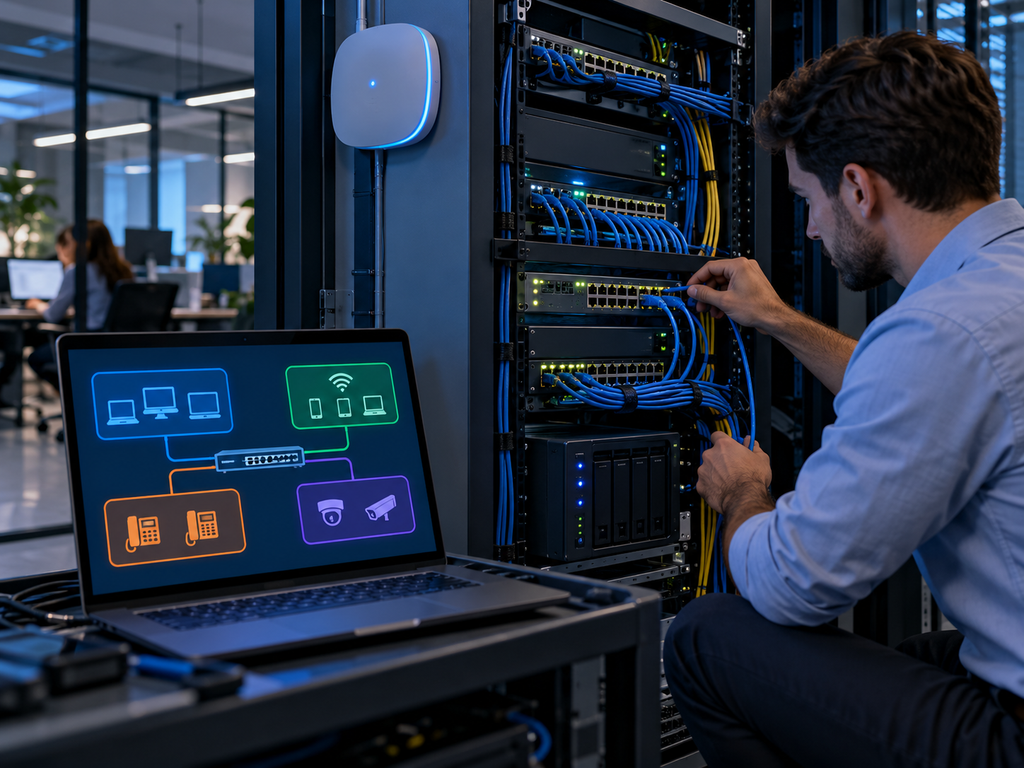
When a Small Business Needs VLANs
When Does a Small Business Need VLANs?
A VLAN, or Virtual Local Area Network, helps separate devices on the same physical network into different logical groups.
For a small business, VLANs can improve security, performance, and network organization without requiring completely separate switches or internet connections.
Not every small office needs VLANs, but once a business starts using guest Wi-Fi, VoIP phones, security cameras, IoT devices, or multiple departments, VLANs can become very useful.
What Is a VLAN?
A VLAN separates network traffic into different segments.
For example, a business could create separate VLANs for:
- Employee computers
- Guest Wi-Fi
- VoIP phones
- Printers
- Security cameras
- Servers
- IoT devices
Devices can still use the same physical network equipment while being logically separated.
When Should a Small Business Use VLANs?
Guest Wi-Fi
Guest devices should usually not have access to business computers, printers, servers, or other internal systems.
A separate guest VLAN can isolate visitor traffic from the company network.
VoIP Phones
VoIP phones can be placed on their own VLAN to make traffic easier to manage and troubleshoot.
This can also help with network prioritization and call quality.
Security Cameras
Cameras and recording systems often generate constant network traffic.
Keeping them on a separate VLAN can improve organization and reduce unnecessary access to the main business network.
IoT and Smart Devices
Smart TVs, conference room devices, thermostats, access control systems, and other IoT equipment may not need access to employee computers.
A separate VLAN can help reduce risk if one of those devices is compromised.
Multiple Departments
Some businesses may want to separate departments such as:
- Finance
- HR
- Operations
- Engineering
- Guest users
This can help control which systems each group can access.
VLANs Can Improve Security
One of the main reasons to use VLANs is network segmentation.
If every device is on the same network, a compromised device may have easier access to other systems.
With VLANs, businesses can limit communication between different groups of devices.
For example:
- Guest Wi-Fi cannot access employee devices
- Cameras cannot access business files
- IoT devices cannot communicate with sensitive systems
- Employees only access the resources they need
VLANs are not a replacement for firewalls or endpoint security, but they can be an important additional layer.
VLANs Can Make Troubleshooting Easier
Separating devices by function can also make a network easier to manage.
If there is a problem with:
- Phones
- Cameras
- Wi-Fi
- Printers
- Guest access
IT can troubleshoot that segment without affecting the entire network.
Does Every Small Business Need VLANs?
No.
A very small office with a few computers, one printer, and simple Wi-Fi may not need VLANs immediately.
But VLANs become more useful when the business has:
- More devices
- Guest Wi-Fi
- Security cameras
- VoIP phones
- Multiple access points
- IoT devices
- Sensitive data
- Multiple departments
- Compliance requirements
The more complex the network becomes, the more valuable segmentation can be.
What Equipment Is Needed for VLANs?
VLANs usually require business-grade network equipment that supports VLAN configuration.
This may include:
- Managed switches
- Business firewalls
- Business access points
- VLAN-aware routers
- Proper network configuration
Platforms such as Meraki, UniFi, and other managed networking systems commonly support VLANs.
VLAN Setup for Small Businesses in San Jose
WorkNetic Systems helps small businesses in San Jose and the Bay Area design and configure secure business networks.
We can assist with:
- VLAN configuration
- Guest Wi-Fi
- Business Wi-Fi
- Managed switches
- Access points
- Firewalls
- Network segmentation
- VoIP networking
- Camera networks
- Office network upgrades
If your business network has grown beyond a few basic devices, VLANs may be a simple way to improve security and organization.
Learn more about our Microsoft 365 Services