
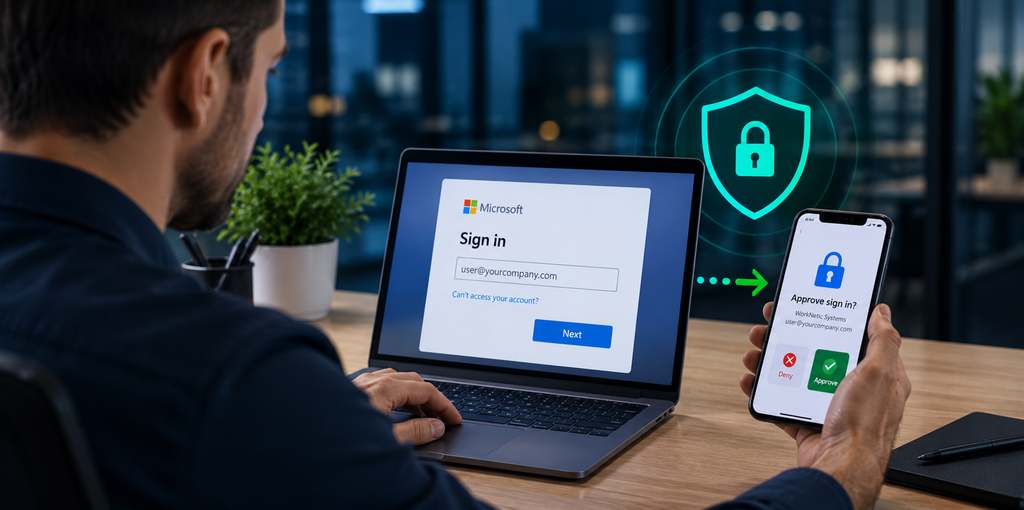
Why MFA Is Important
for Small Businesses
Why MFA Is Important for Small Businesses
Passwords alone are no longer enough to protect business accounts.
Multi-factor authentication, or MFA, adds an extra layer of security by requiring users to verify their identity in more than one way.
For small businesses, MFA can significantly reduce the risk of unauthorized access to email, cloud systems, financial information, and company data.
What Is MFA?
MFA requires a user to provide more than just a password when signing in.
A login may require:
- A password
- A code from an authenticator app
- A push notification
- A security key
- Biometric verification
Even if a password is stolen, the attacker may still be unable to access the account without the second factor.
Why Passwords Are Not Enough
Passwords can be exposed through:
- Phishing emails
- Reused passwords
- Data breaches
- Weak passwords
- Malware
- Credential theft
Employees may also use the same password across multiple services.
MFA helps reduce the impact of a stolen password.
MFA Helps Protect Microsoft 365 and Google Workspace
Business email accounts are common targets because they may contain sensitive information and can be used to impersonate employees.
MFA can help protect access to:
- Microsoft 365
- Outlook
- Google Workspace
- OneDrive
- SharePoint
- Teams
- Cloud applications
- Administrative portals
This is especially important for administrator accounts.
MFA Can Reduce Phishing Risk
Phishing attacks often try to steal usernames and passwords.
If MFA is enabled, stolen credentials alone may not be enough to access the account.
MFA should still be combined with:
- Email security
- Security awareness training
- Strong passwords
- Conditional access
- Endpoint protection
No single security control is enough by itself.
MFA Is Important for Remote Work
Employees may access company systems from home, client sites, hotels, or mobile devices.
MFA helps verify that the person signing in is actually the authorized user, even when access comes from outside the office.
Which Accounts Should Use MFA?
Ideally, MFA should be enabled for all business users.
It is especially important for:
- Administrators
- Executives
- Finance employees
- HR staff
- Email accounts
- Cloud applications
- Remote access
- VPN accounts
Administrative accounts should have the strongest protections.
Authenticator Apps Are Better Than SMS
SMS verification is better than using only a password, but authenticator apps and security keys generally provide stronger protection.
Businesses should consider using:
- Microsoft Authenticator
- Google Authenticator
- Hardware security keys
- Passkeys where supported
The right option depends on the environment and user needs.
MFA Should Be Part of a Bigger Security Plan
MFA is important, but it should not be the only security measure.
Small businesses should also use:
- Endpoint protection
- Device encryption
- Backups
- Security updates
- Email protection
- User training
- Access reviews
- Strong onboarding and offboarding processes
Together, these controls can significantly improve security.
MFA Setup for Small Businesses in San Jose
WorkNetic Systems helps small businesses in San Jose and the Bay Area configure MFA and strengthen account security.
We can assist with Microsoft 365, Google Workspace, Entra ID, user access, security policies, and employee onboarding.
If your business still relies on passwords alone, enabling MFA is one of the simplest security improvements you can make.
Learn more about our Cybersecurity Services in San Jose